wen
wen python3+selenium3学习——发送邮件

![python3+selenium3学习——发送邮件
[编程语言教程]](https://www.zixueka.com/wp-content/uploads/2024/01/1706711127-da0ab778637d15d.jpg)
1、安装yagmail
直接 pip install yagmail
2、发送邮件前配置
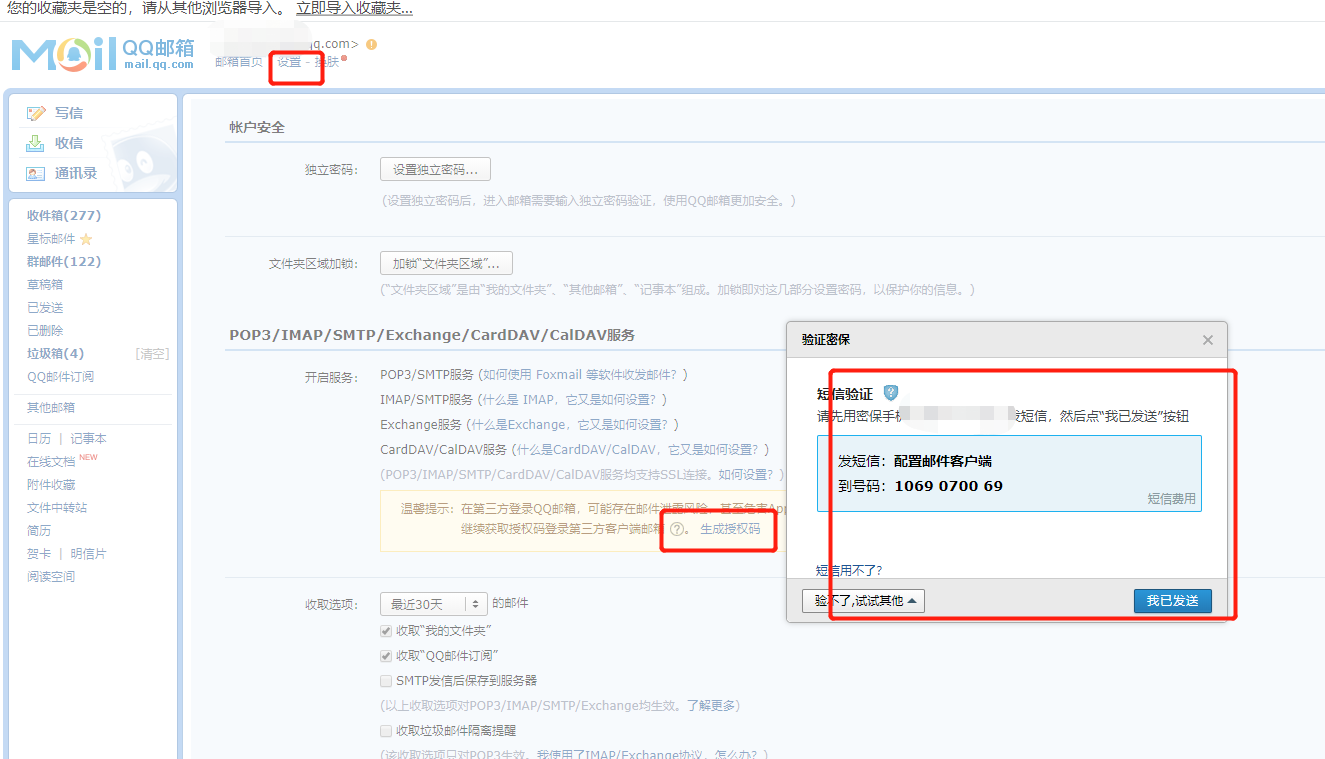
3、发送邮件
参考代码;
import unittest
import HTMLTestRunner
import yagmail
import os

username = ‘1234567@qq.com‘
passwd = ‘abcdfefgh‘
smtp = yagmail.SMTP(user=username,
                    password=passwd,
                    host=‘smtp.qq.com‘,    # 其他服务器就  smtp.126.com
                    smtp_ssl=True
                    )

case_path = os.path.join(os.getcwd(),"case")  # 用例路径
report_path = "D:	est02eport"            # 报告存放路径

def all_case():
    discover = unittest.defaultTestLoader.discover(case_path,
                                               pattern="test*.py",
                                               top_level_dir = None)
    print(discover)
    return discover
if __name__ =="__main__":
    # runner = unittest.TextTestRunner()
    # runner.run(all_case())
    # html报告文件路径
    report_abspath = os.path.join(report_path,"result.html")
    fp = open(report_abspath,"wb")
    runner = HTMLTestRunner.HTMLTestRunner(stream=fp,
                                           title = u"自动化测试报告,测试结果如下:",
                                           description = u"用例执行情况:")

    # run所有用例
    runner.run(all_case())
    smtp.send(
        to = ‘qpbj0we@dingtalk.com‘,
        subject =‘发送邮件的标题‘,
        contents = ‘测试用例报告‘,
        attachments=r‘D:	est02eportesult.html‘
    )
    print(‘发送成功‘)
    fp.close()