 hmoban
 怎么更改spyder编程界面背景颜色


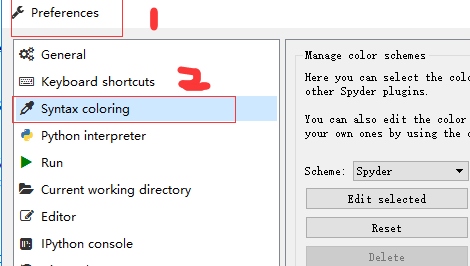
1、首先依次打开tools—>Preferences—>Syntax coloring选项
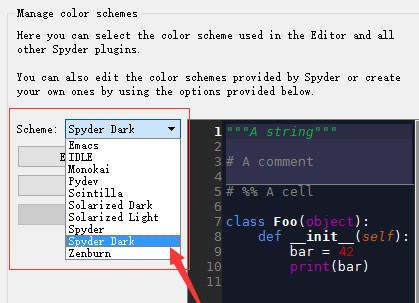
2、然后展开Scheme下拉菜单,根据需要选择背景颜色即可,例如:Spyder Dar
相关文章教程推荐:spyder教程
来源:PY学习网:原文地址:https://www.py.cn/article.html

1、首先依次打开tools—>Preferences—>Syntax coloring选项
2、然后展开Scheme下拉菜单,根据需要选择背景颜色即可,例如:Spyder Dar
相关文章教程推荐:spyder教程
来源:PY学习网:原文地址:https://www.py.cn/article.html