 hmoban
 怎么更改spyder注释颜色


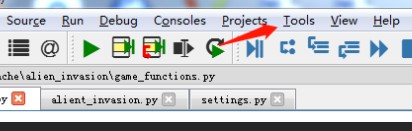
1、点击【tools】,打开【preferences】
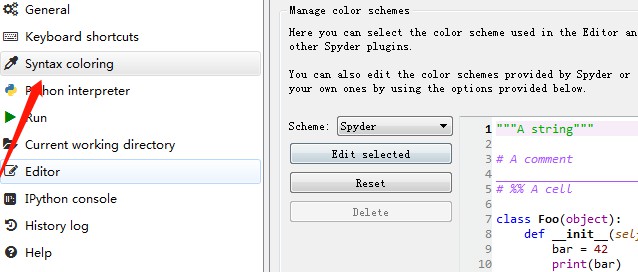
2、打开【syntax coloring】选项,在【Edit selected】选项中根据需要设置注释颜色即可
相关文章教程推荐:spyder教程
来源:PY学习网:原文地址:https://www.py.cn/article.html

1、点击【tools】,打开【preferences】
2、打开【syntax coloring】选项,在【Edit selected】选项中根据需要设置注释颜色即可
相关文章教程推荐:spyder教程
来源:PY学习网:原文地址:https://www.py.cn/article.html